v7.1 [Mar 22, 2010]
-Add Watermark Text for security reasons
The new version enables the user to smoothly add Watermark Text for protecting the documents with a visible watermark. You can even personalize the documents with this easy to use and advanced feature.
-New Drag and Drop Feature for document management
Manage documents quickly and effortlessly with new Drag and Drop feature. You can now easily handle the files with this new easy to use and advanced functionality. User can pick any file and convert it into a desirable format.
-Additional Output Formats
You can now conveniently use more advanced and manageable output formats for text as well as images. A user can create output files in .txt format as well as extract images in formats such as .bmp, .pbm, .png, .tiff, .ppm, .pnm, .jpg and .pcx.
-Convert Scanned PDF document to editable word.
With the new OCR (Optical character recognition) feature you can convert your scanned PDF documents to editable Word format. The document will be converted into a flowing text format. You will be able to eliminate time-consuming tasks that slow you down and cost you money as you can easily access valuable information trapped in a digital or scanned document.
v6.1 [Jan 5, 2009]
Converting PDF to Excel and into image is now possible.
PDF to Postscript conversion has been improved.
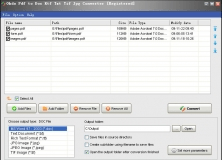


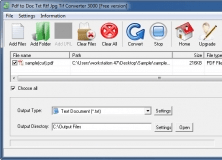
Convert PDF format files to doc, txt, rtf, jpg, tiff format files with ease.